


Virtual demo

See the demo screens first.

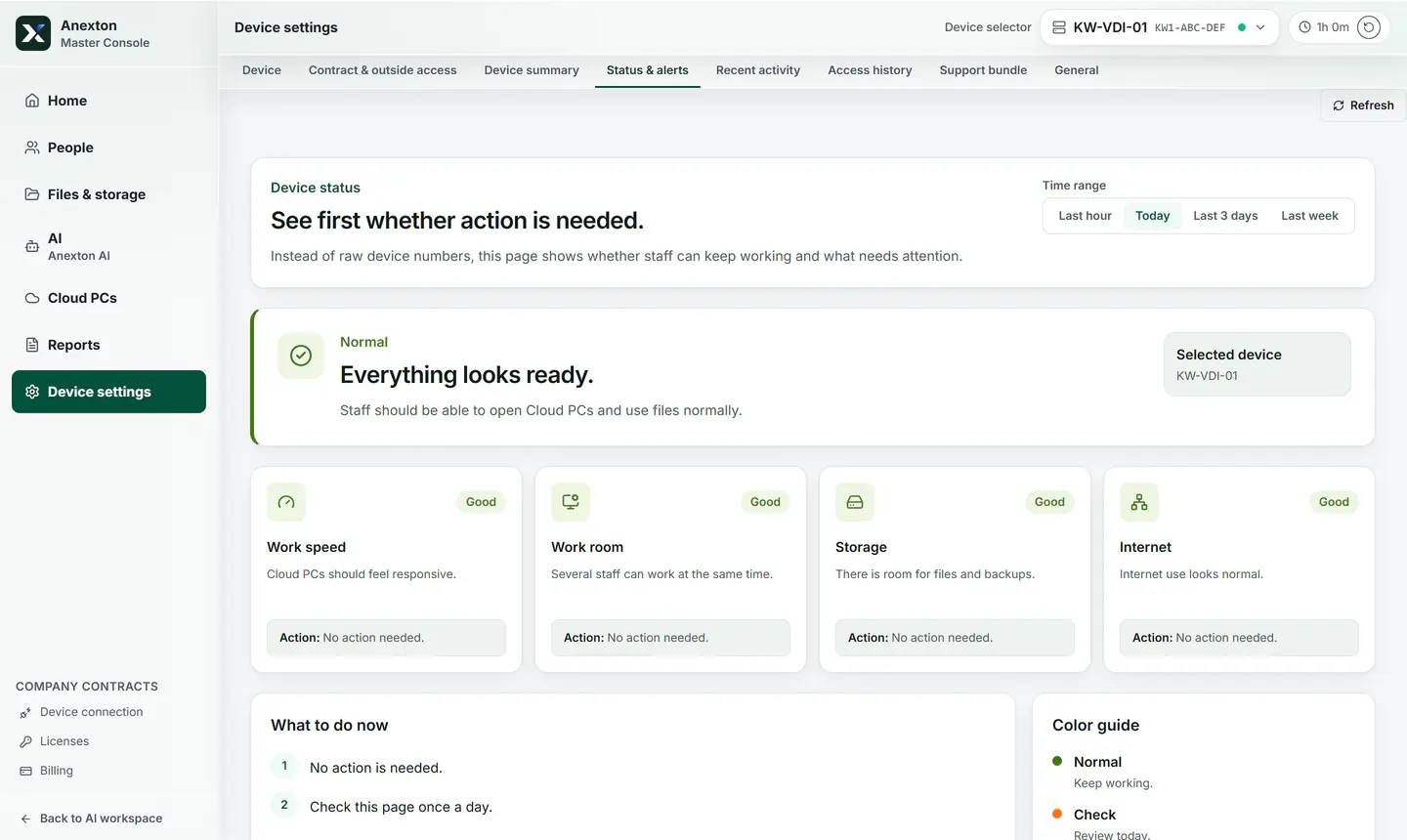
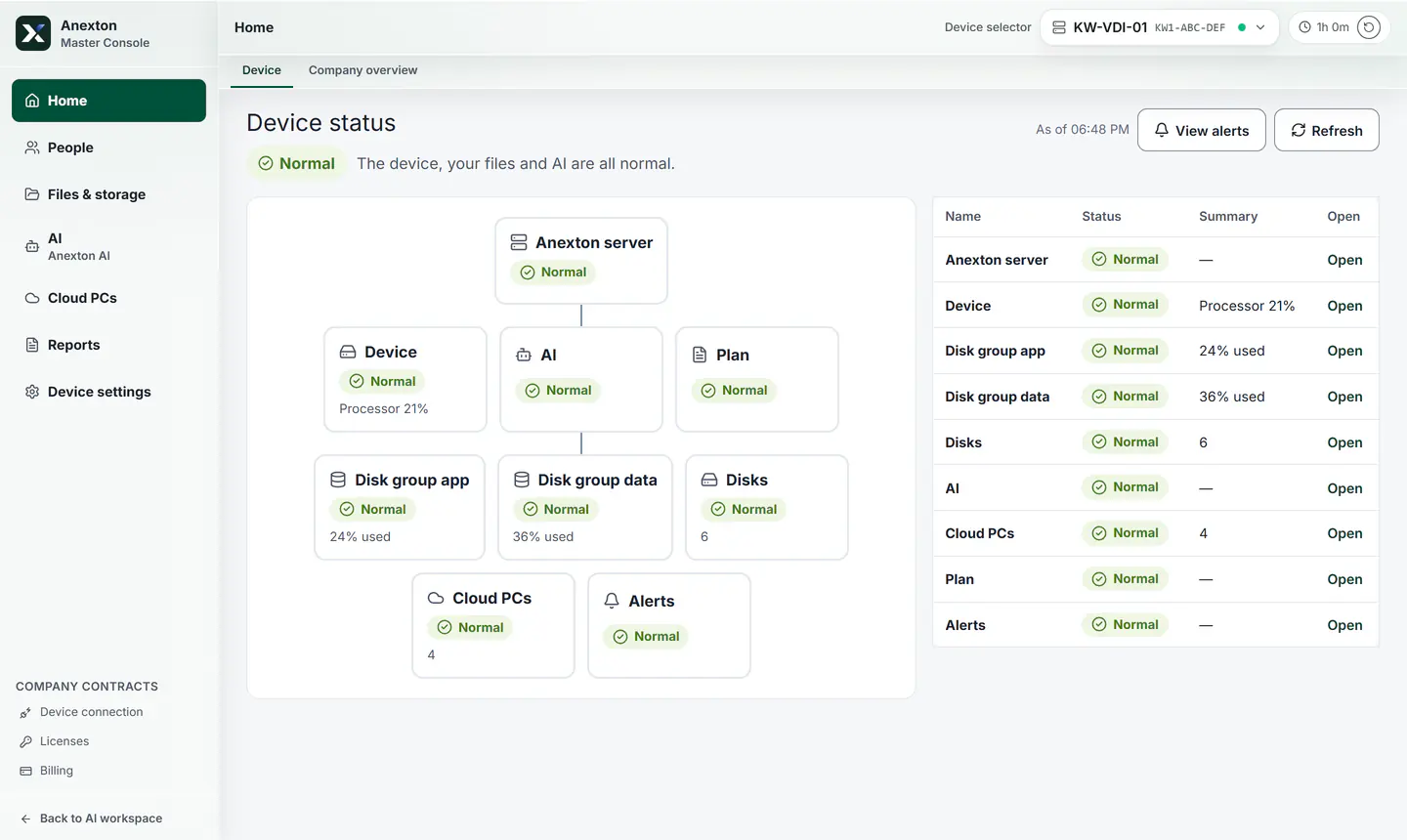
Screens from a demo Anexton central computer. Names and device IDs are masked.

Main Easy Scope overview demo screen
Demo screens

What a manager checks daily

Only the scenes checked daily.

01

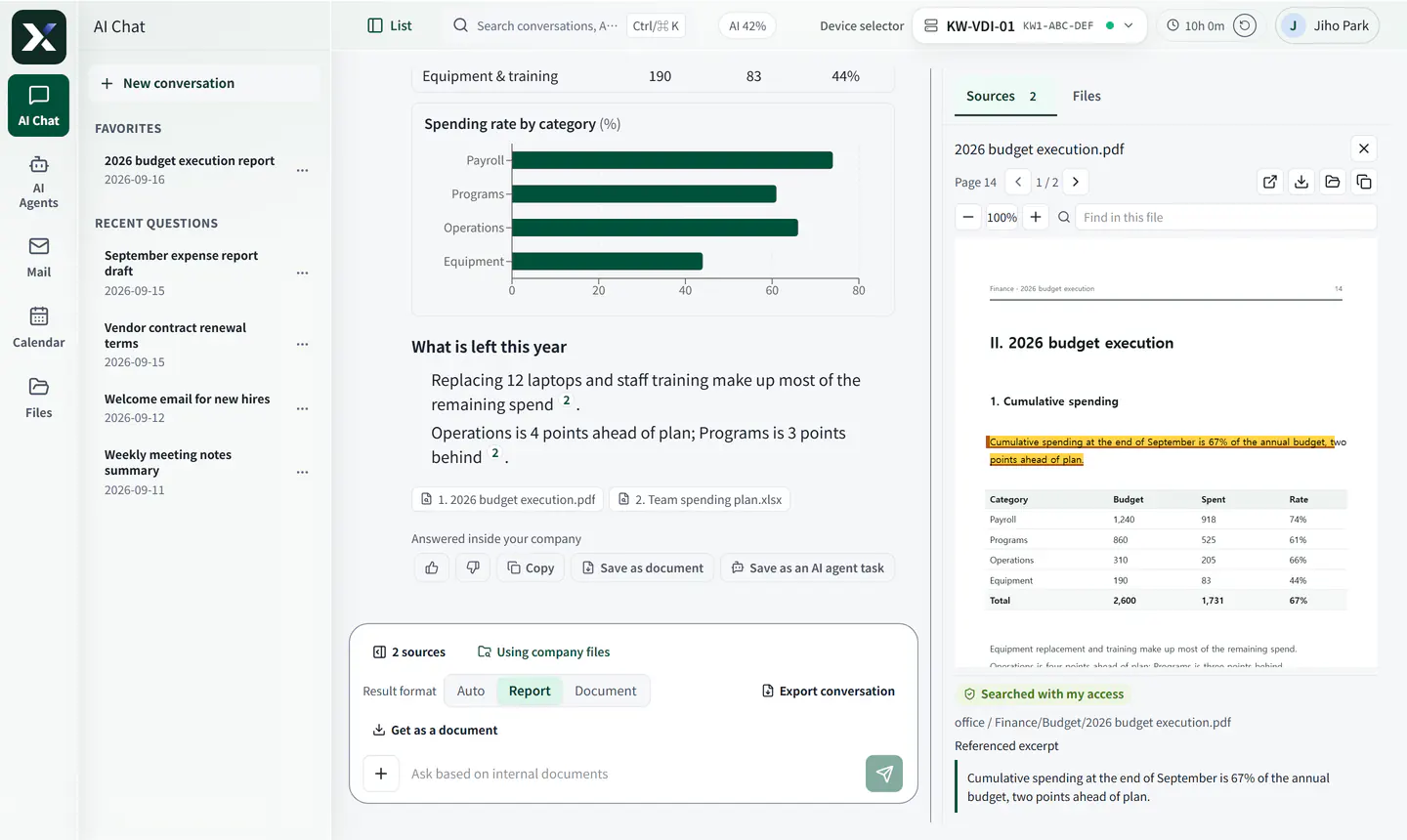
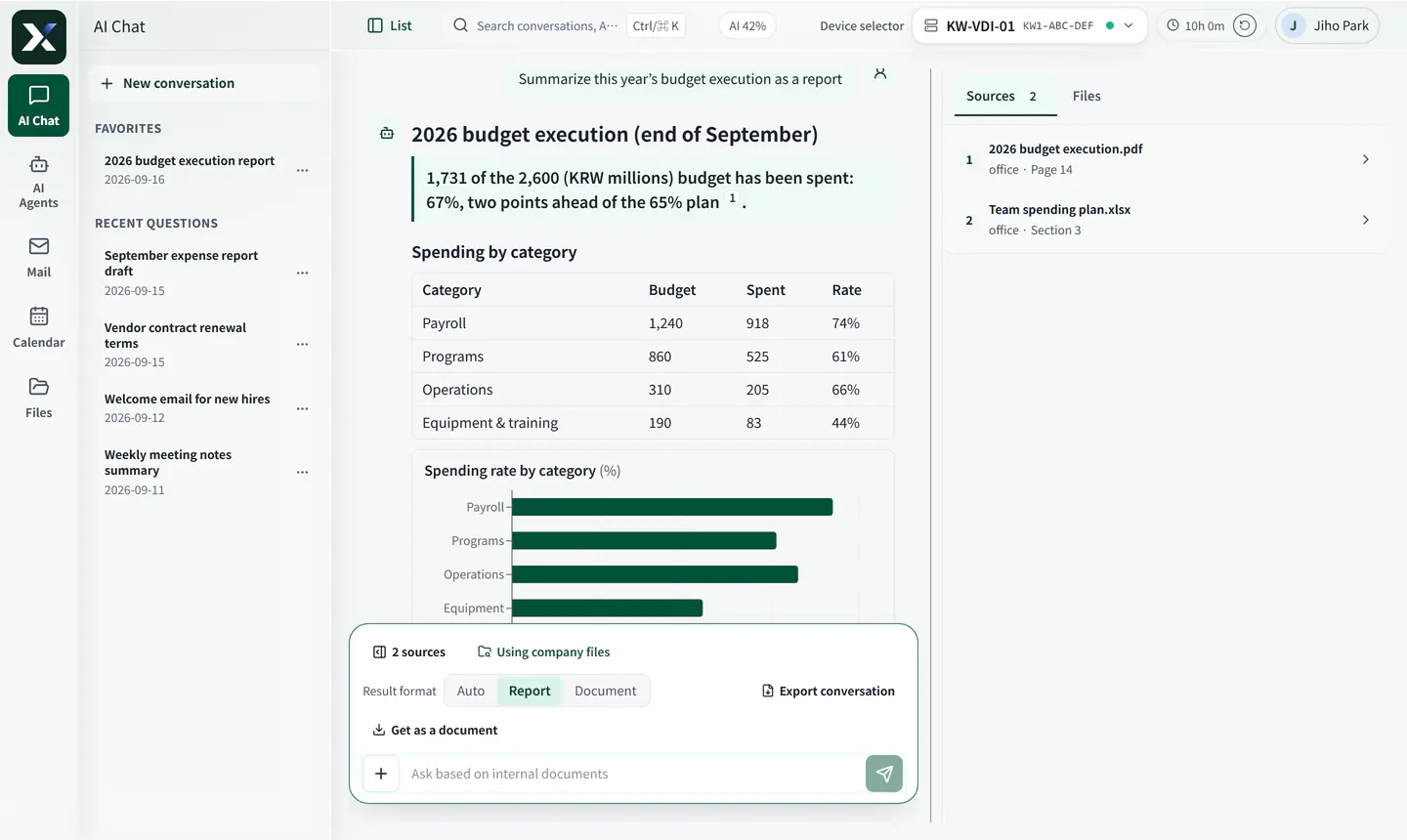
Same question, different employee

Answers differ by which files each employee can open.

  • Folder access sets scope
  • Revocation applies at once
  • Cites document and page
Demo screen showing that out-of-scope files were excluded, with the cited document and page
02

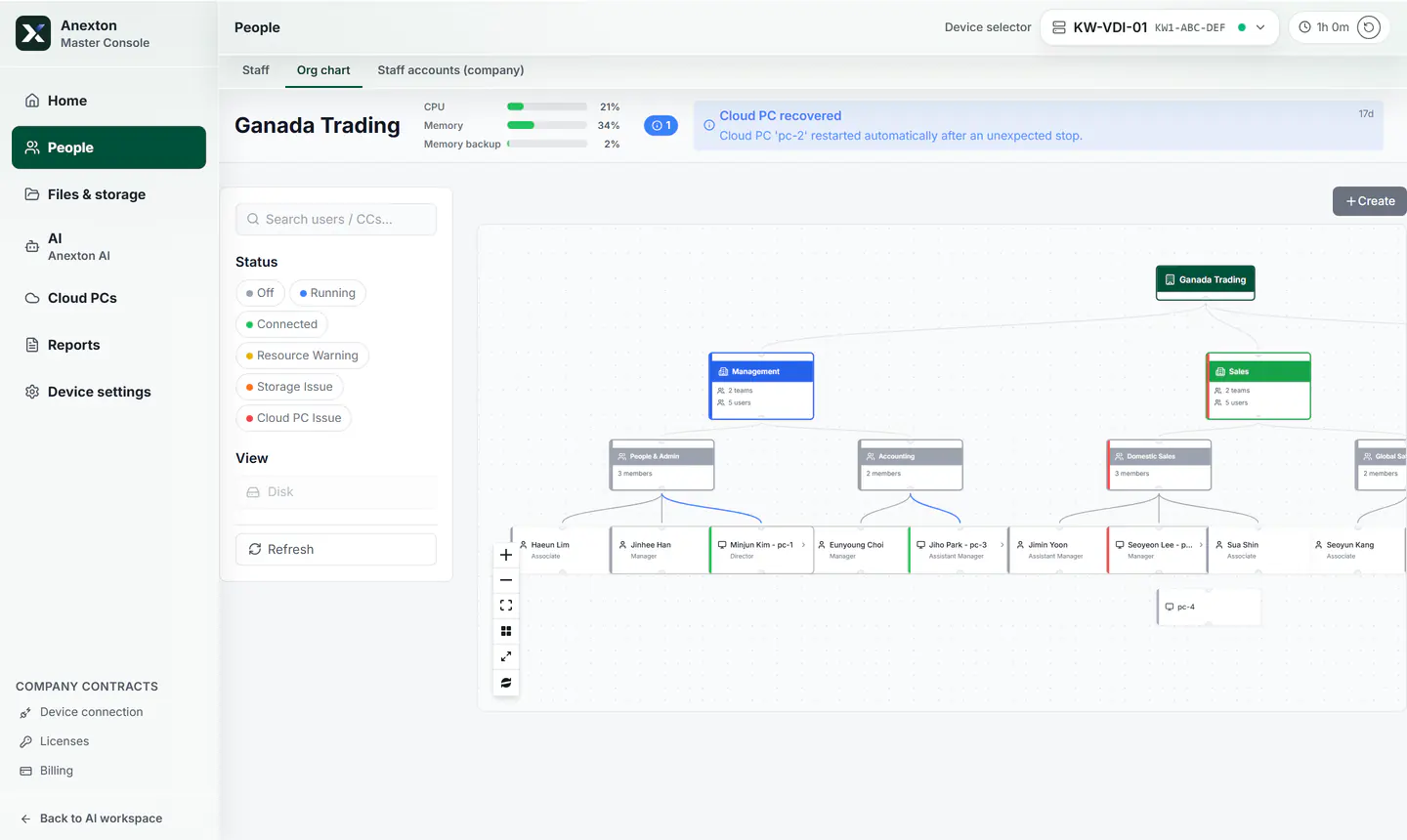
Easy Scope

How company, departments, and work screens connect.

  • Company structure
  • Work screens by department
  • Management baseline
Easy Scope overview demo screen
03

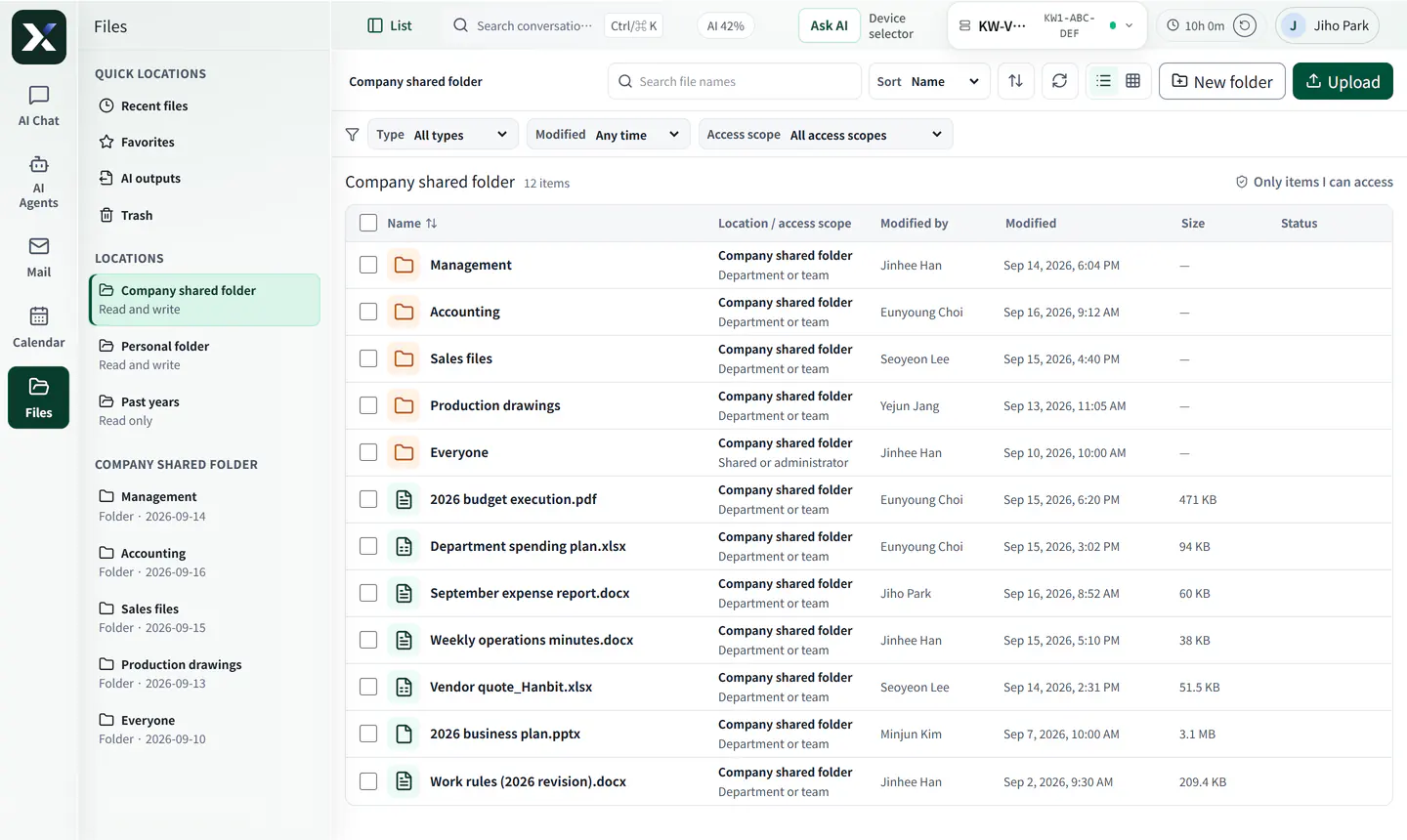
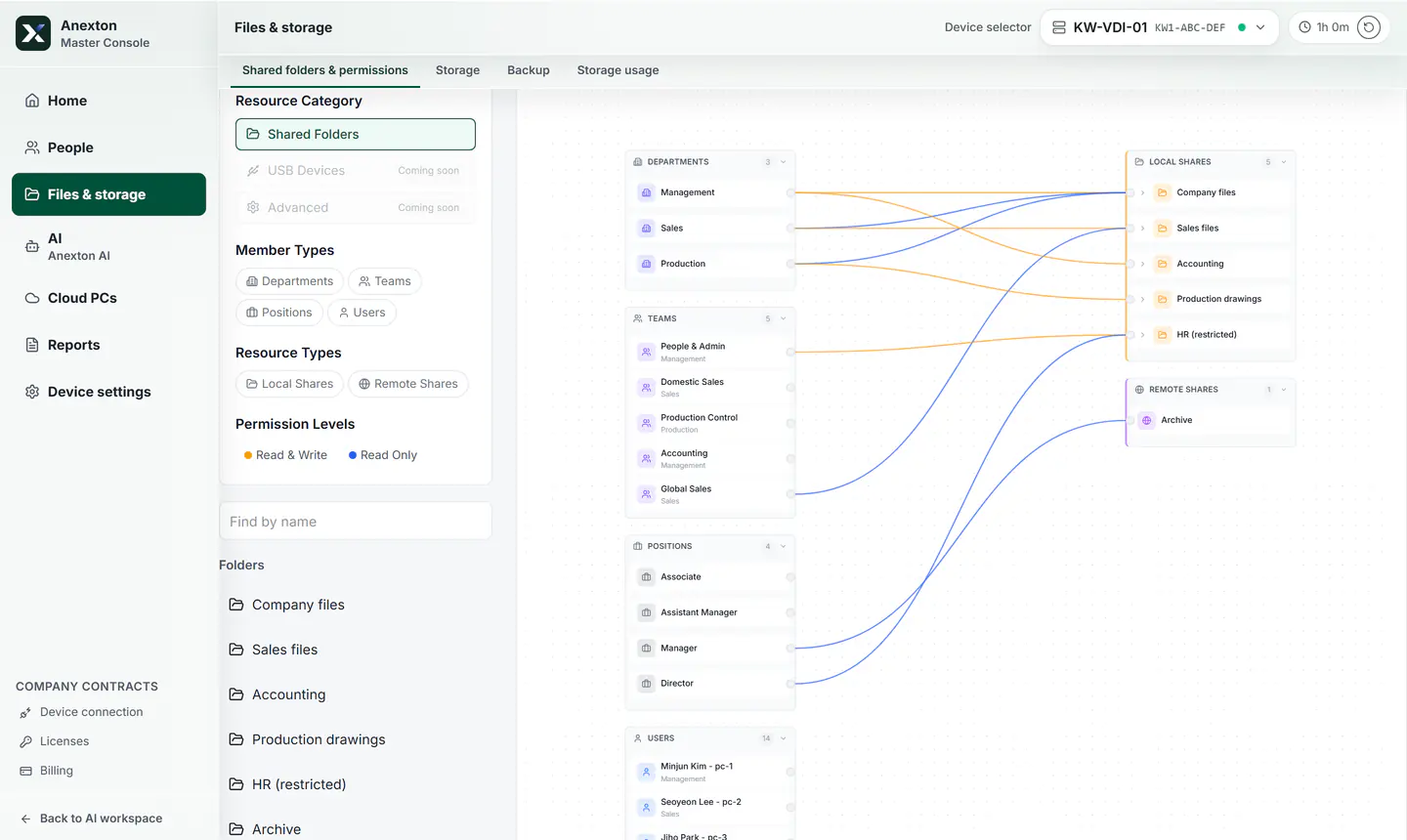
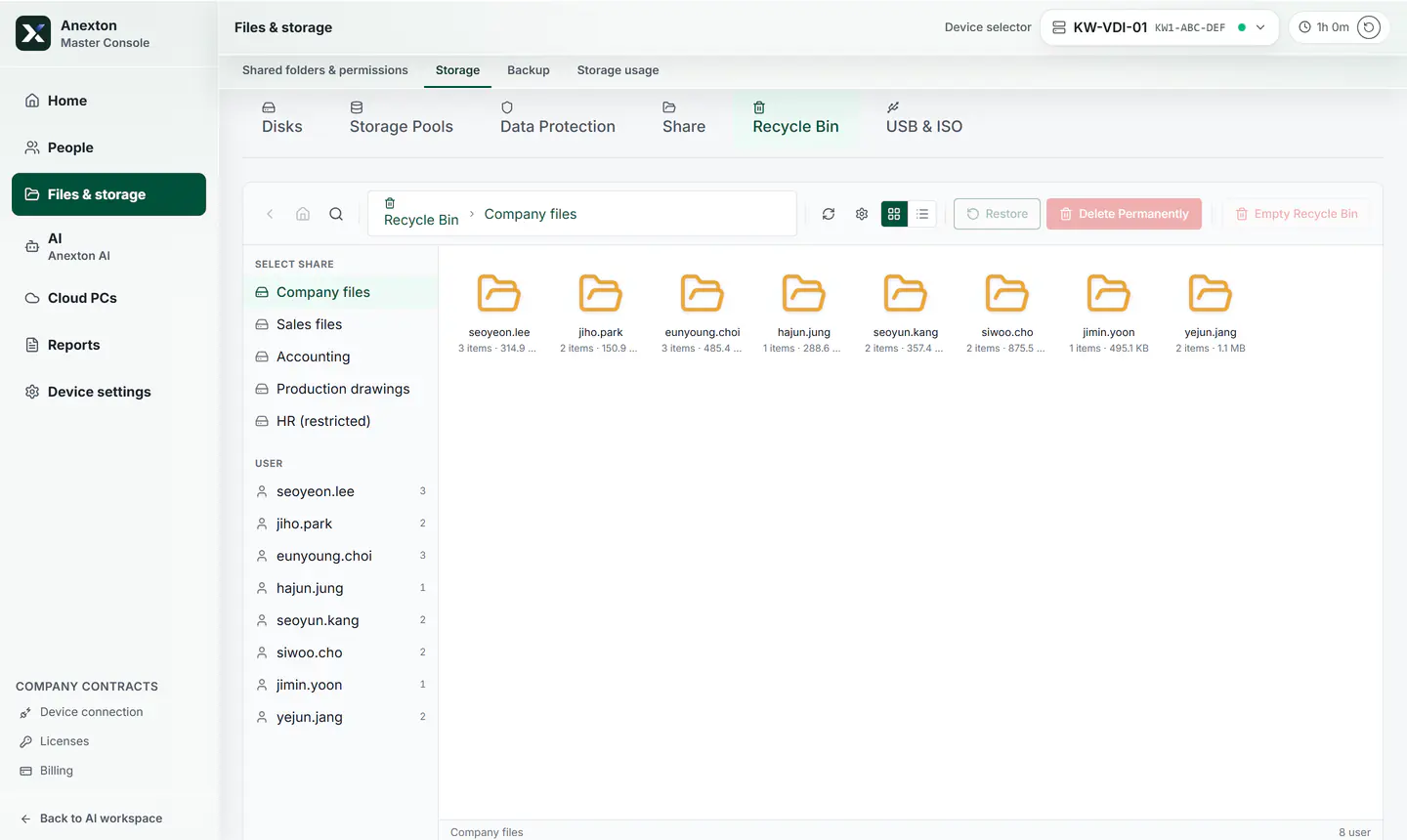
Shared folder access

Who can open each shared folder, drawn as links.

  • Access by employee
  • Shared folders by department
  • Ex-employee access
Shared folder access demo screen
04

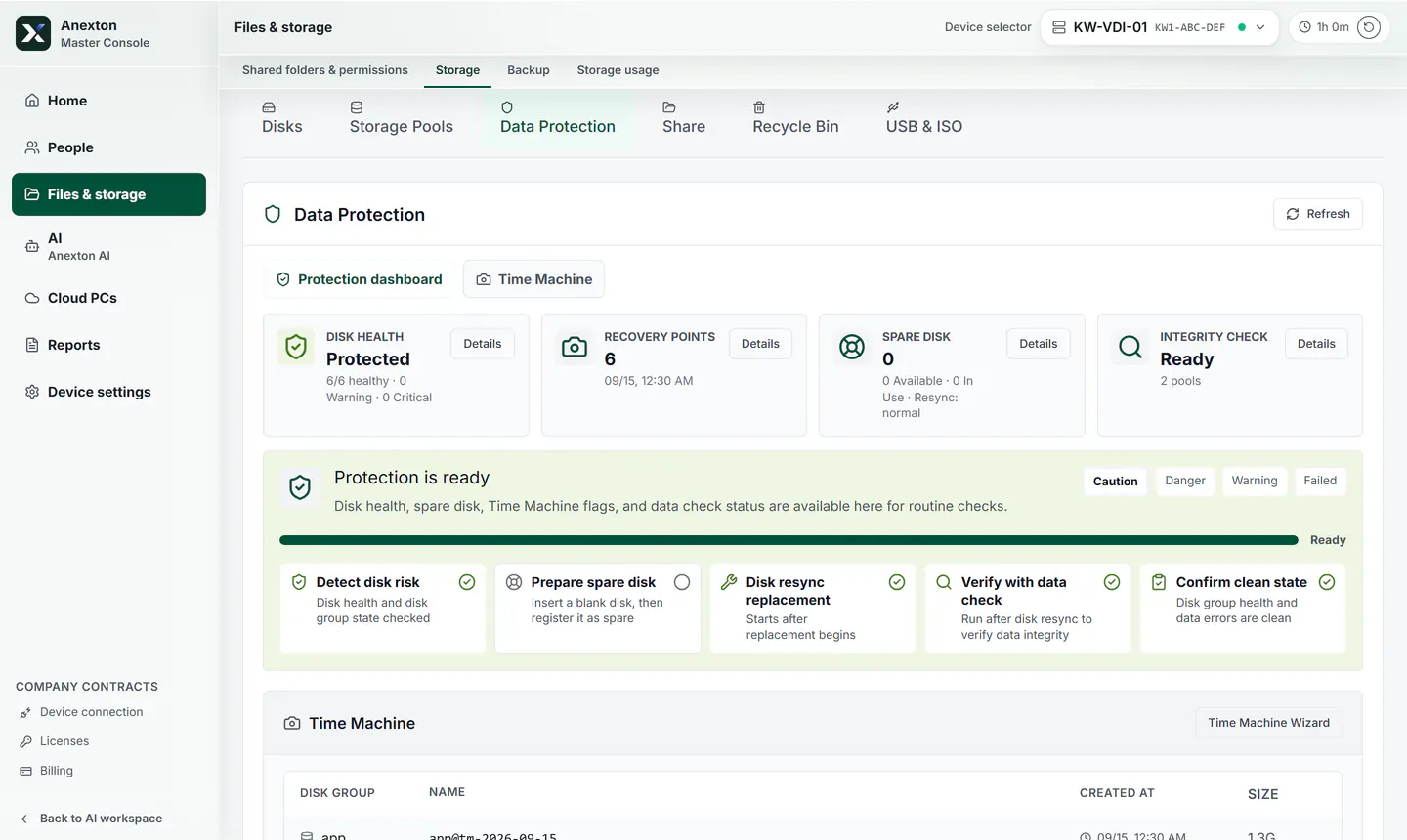
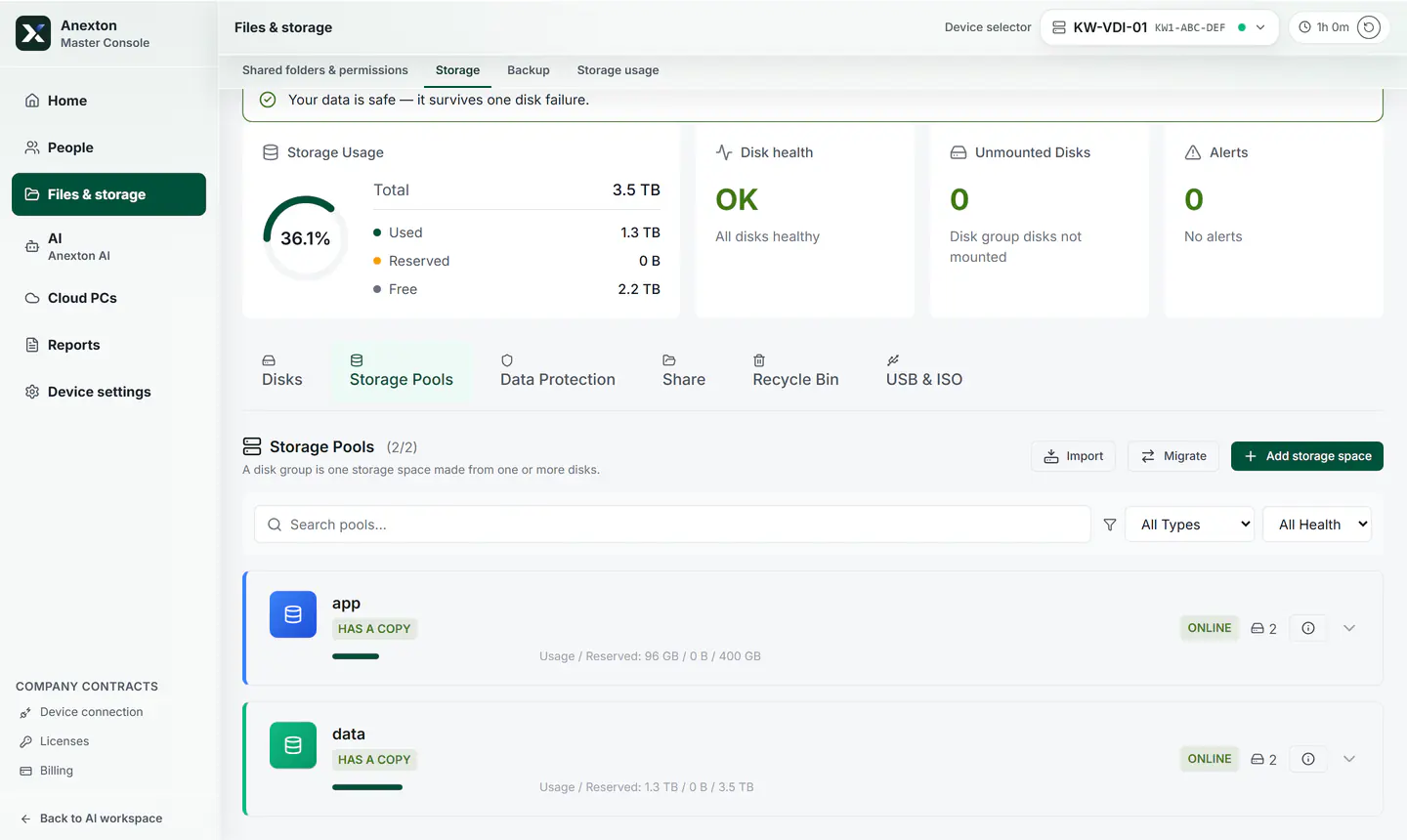
Data protection and backup

Storage to integrity checks, in one screen.

  • Storage
  • Recovery points
  • Disk health
Data protection demo screen
05

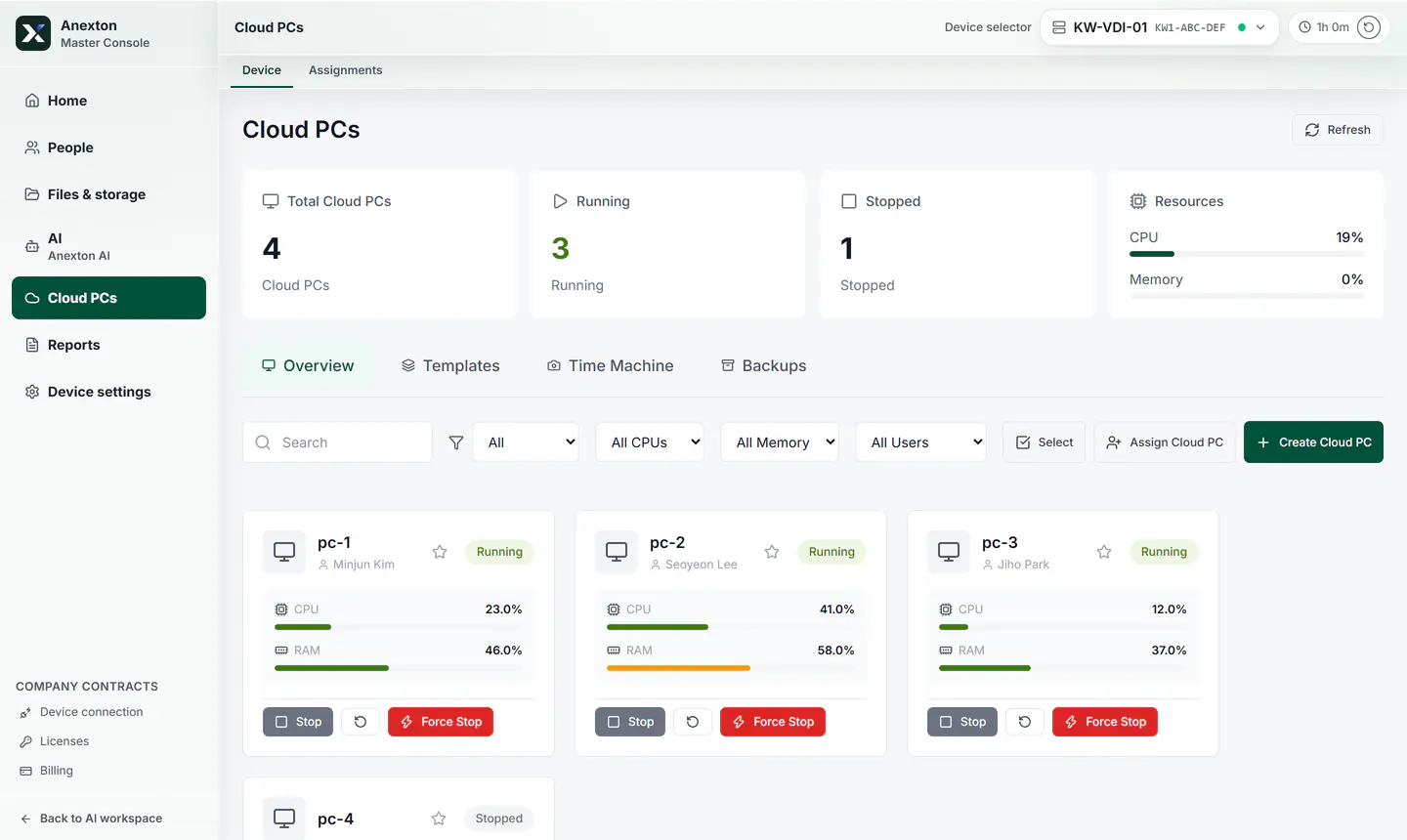
Cloud computer list

Work computer count and status, as cards.

  • Running computers
  • CPU and memory
  • Employee work screens
Cloud computer list demo screen
06

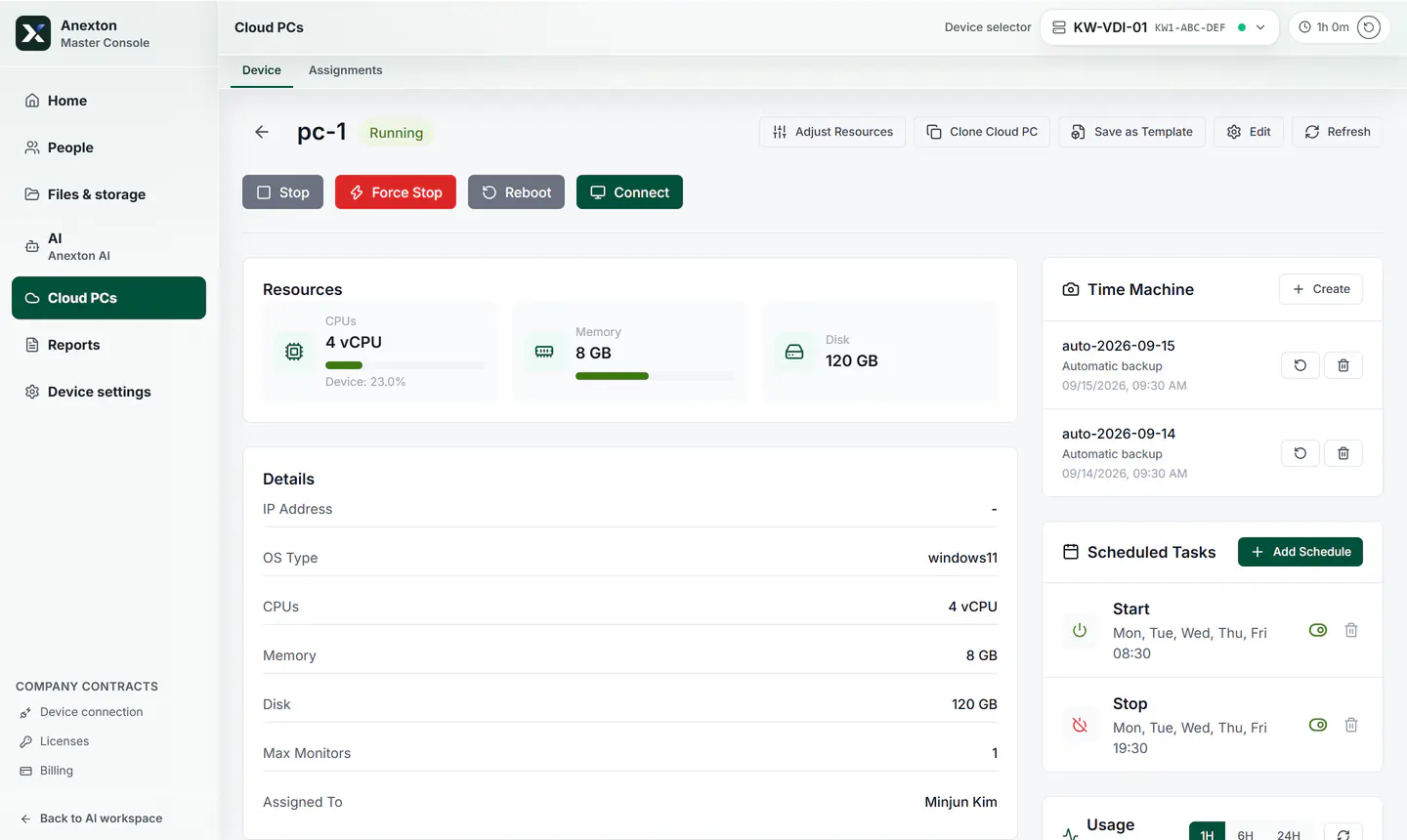
Cloud computer detail

One computer's resources, backup, and scheduled tasks.

  • Connection button
  • CPU, memory, disk
  • Backup status
Cloud computer detail demo screen
07

Server resource monitor

CPU, temperature, clock, and delay as charts.

  • CPU usage
  • Temperature
  • Live charts
Resource monitor demo screen
08

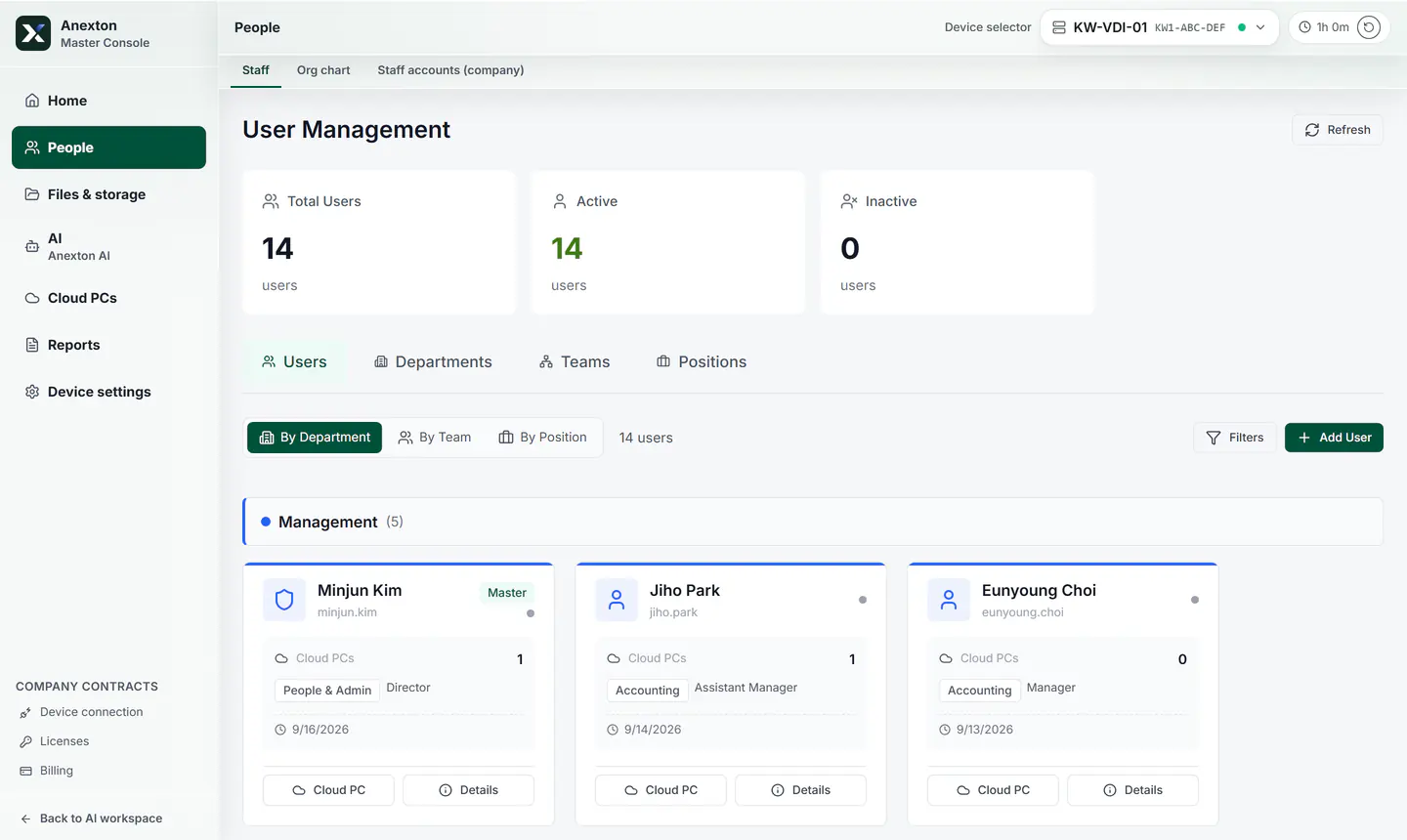
User management

Users, active status, and employee cards.

  • User count
  • Employee cards
  • Assigned computers
User management demo screen
09

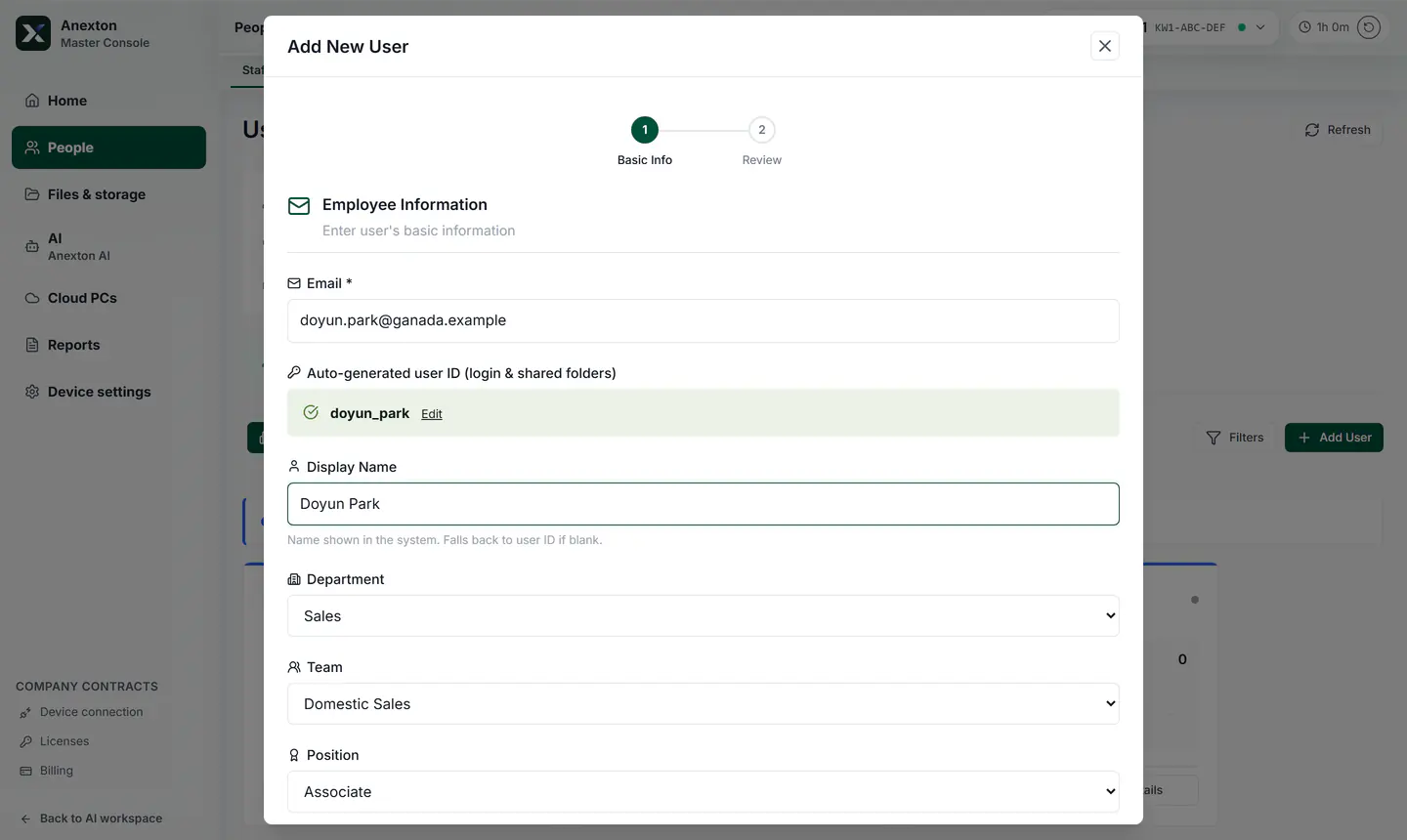
Add a new user

Enter only email, name, department, and role.

  • Basic info
  • Department
  • Role
Add user demo screen
10

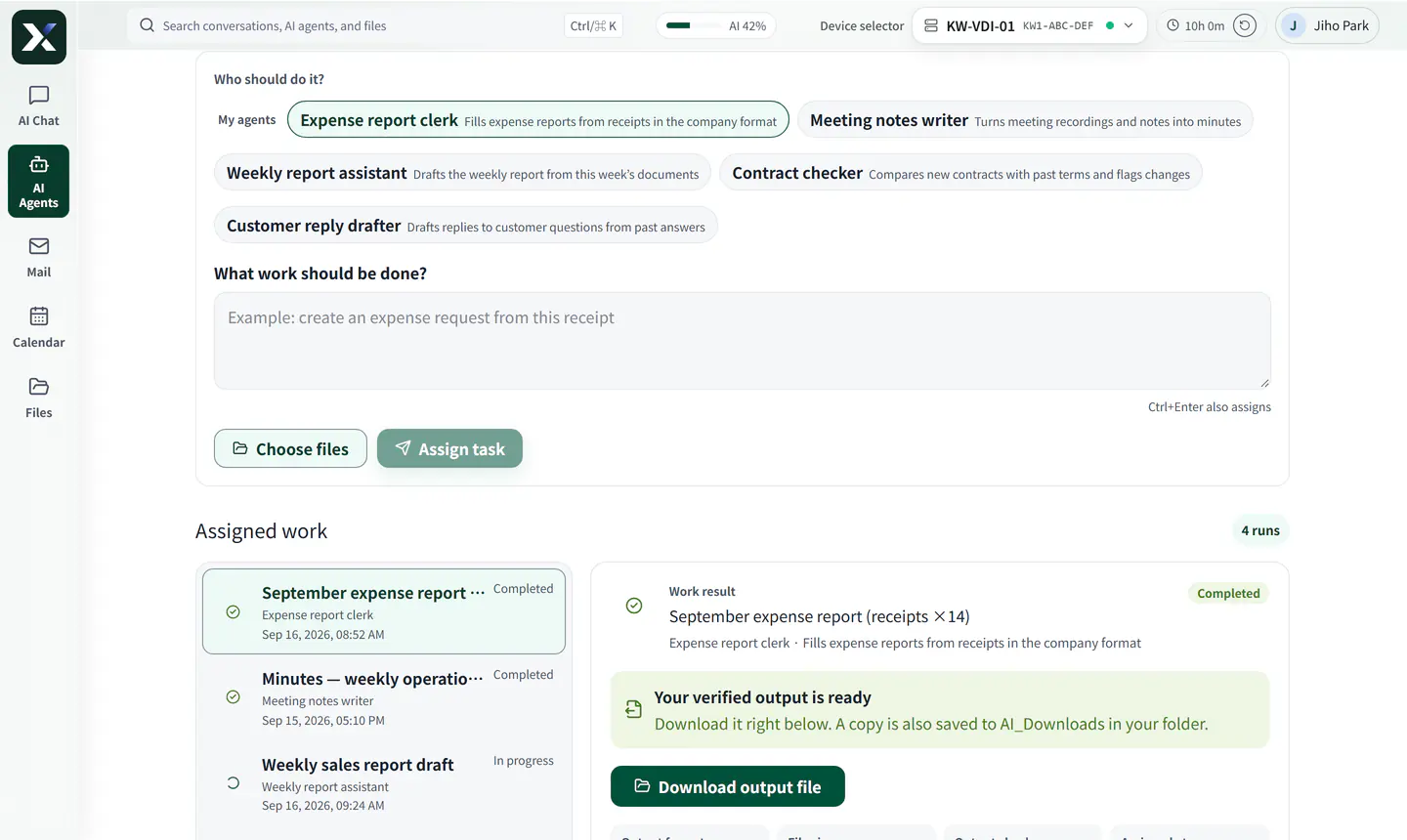
Step-by-step work wizard

Selection and checks are split into steps.

  • Current step
  • Material input
  • Next step
Step-by-step work wizard demo screen